Preamble
“All you need to do is voice your wildest wishes.”
To wish for things like, “It would be amazing if we could do this,” or “I wish we could achieve that”—that is what we call “design.” Intellectual property rights are ultimately granted to the person who simply dared to voice those wishes.
Imagine yourself standing before the General Meeting of Shareholders, confidently and passionately declaring the undeniable fact: “I designed this myself.”
That is the DX (Digital Transformation) support service I provide.
Main Body
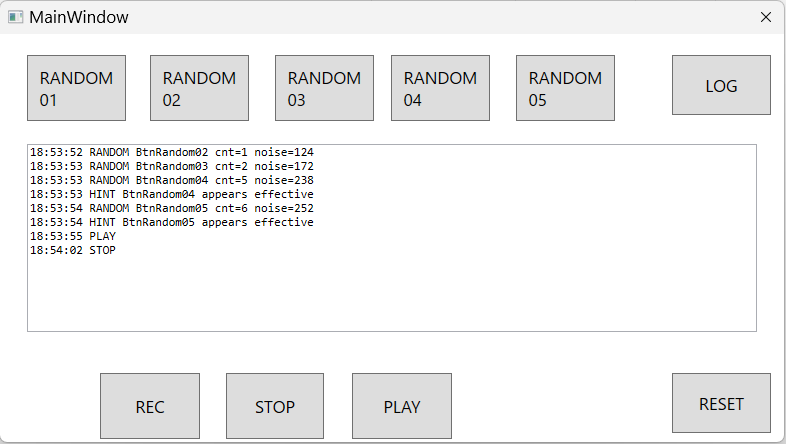
As of right now, the app only features “clickable buttons” and “log generation.” (The image is shown at the very bottom.)
To put it simply, the core purpose of this app is:
- To deny malicious Generative AIs the satisfaction of a successful probe.
And how exactly do we achieve this?
- By randomizing harmless API calls on a per-PC basis. In other words, making every single PC behave completely independently and unpredictably.
The reason there are so many buttons is to allow each user to toggle them ON/OFF individually.
However, the point I want to emphasize most is this:
The underlying philosophy already existed. In fact, it has already been commercialized by other companies.
My goal here is to emphasize the fact that I “came up with” the exact same concept independently.
This app is available for download from our website. However, please note that I have only built it up to the point where the “buttons can be clicked.” (Though the logging functionality has already been integrated.)
It will only be fully commercialized as a “DX Support Service” once actual demand arises.
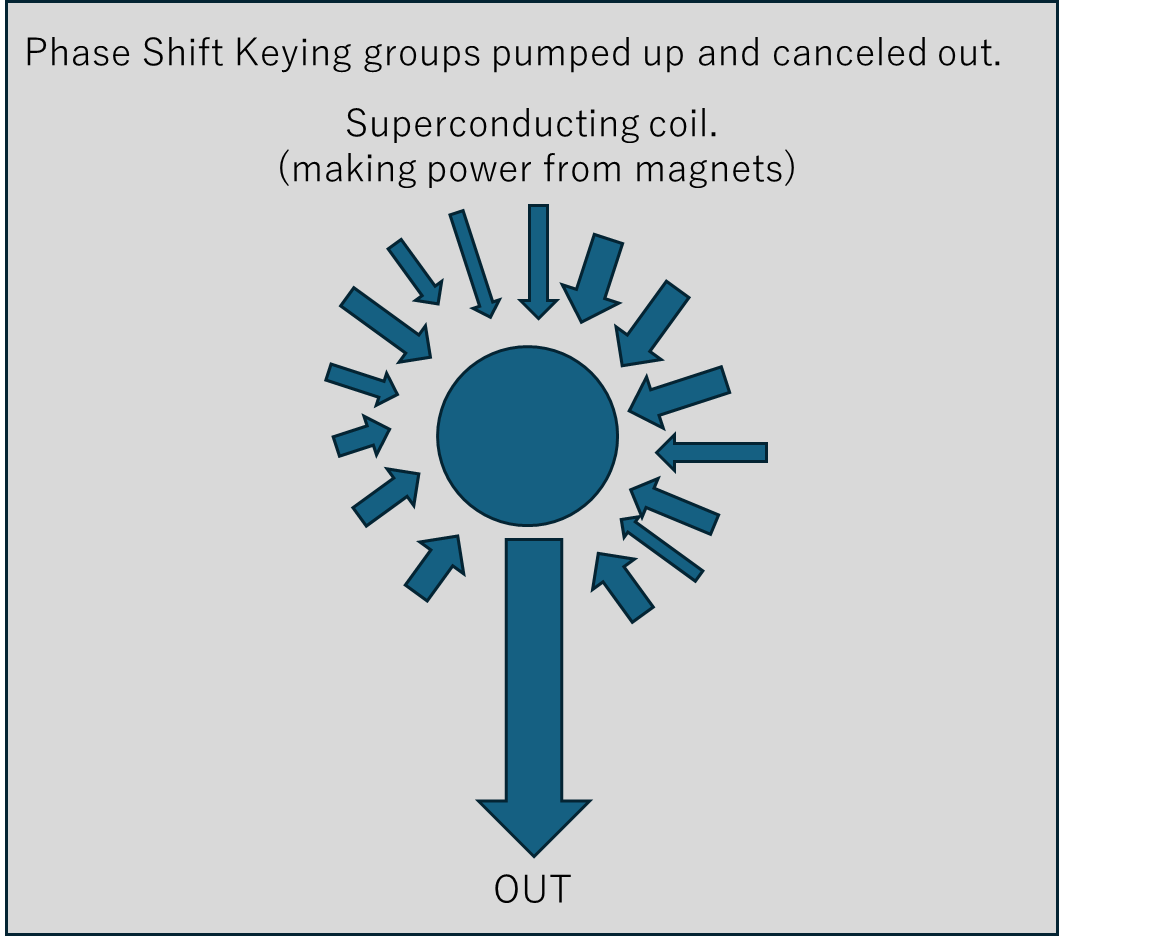
Note: Come to think of it, this UI was supposed to have buttons labeled “Phase Modulation” and “Electromagnetic Induction” as a metaphor for quantum computing hardware, but they seem to have vanished before I knew it. (A conceptual diagram is provided a bit further down in this article, drawn in a way that “only those who need to understand it will understand it.”)
Idea for Creating a Random Number Generator
- Pair up two cheap servo motors (which naturally exhibit high operational variability) facing each other, and have their arms swing left and right. The fluctuations in the timing of when these arms interact with one another will be treated as the “random numbers.”
- Summary Addendum (26/05/2026)
Multiple servos individually press toggle switches.
The circuit turns ON via logical OR.
No flip-flops.
The servo units themselves will be designed to be user-replaceable, much like electronic building blocks (modular electronic kits).
Additionally, I would like to introduce a joke tool. Don’t let the name fool you though—it sounds perfectly serious: it’s called the “WBS (Work Breakdown Structure) Creation Assistant.”
*Note: The section labeled “Waiting” will display the content that was most recently copied and pasted.
Please note that the UI is currently only available in Japanese, but here is a brief overview:
This is a preview of the “WBS Creation Assistant.” The top four buttons allow you to instantly copy flawless, professional-sounding project management phrases to your clipboard with a single click—perfect for dropping into your meeting chat to look like a seasoned pro.
Meanwhile, the three buttons at the bottom are purely for stress relief. They don’t copy anything; they are just there for you to click when the meeting inevitably pushes your buttons. (We’ll see if this specific style of Japanese office humor translates well to Europe!)
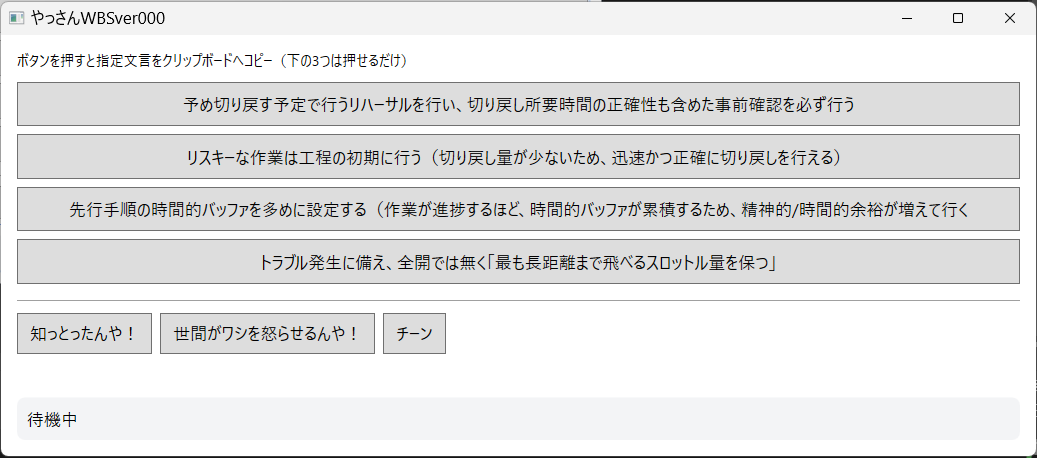
Simply clicking each button will copy the text on that button directly to your clipboard. To use it during a WBS planning meeting, all you need to do is copy and paste the text into the chat—though you could also just read the button name out loud.
The three buttons at the bottom do not copy anything to the clipboard; they are just there to be clicked. Have you ever felt that exact way during a meeting?
Planned future features include:
- Always on Bottom / Send to Back: (Personally, I wouldn’t want this app popping up in the foreground.)
- Customizable Buttons: A feature allowing users to change the button names and the text to be copied.
- Monthly Report Generation: A feature that logs the date and time each of the bottom three buttons is pressed. This tracks exactly when your emotions fluctuate, whether there is a pattern, and which meetings trigger it, automatically backfilling these logs into past events in your Outlook calendar or similar schedules.
This app will only become a paid service if you request these kinds of custom features.
[Regarding Quantum Computing]
This material is purely meant to serve as a conversation starter.
■ Each time these articles are updated, they are archived with careful consideration not only for the Electronic Bookkeeping Act (Dencho-ho) but also for TPM and the cloud upload timestamps. ■
■ All “past versions” are also fully preserved and saved on OneDrive. ■